

It's a Sunday night in October and you're on the couch checking your Business Profile. There's a new one-star review. You don't recognize the name, the job it describes isn't one you'd do, and the busy stretch before Thanksgiving is about to start. Here's how to get it removed. Report it through your Business Profile, and if Google says no, check the decision in Google's review tool and appeal. Google will take a review down only if it breaks one of Google's rules. It won't remove a review just because you say it's wrong.
Ask Google to remove a policy violation
Google says it removes only reviews that break its policies, and that it doesn't settle disagreements between businesses and customers. That changes what you're asking for. You're not asking Google to take your side. You're showing that the review breaks a specific rule.
There are two steps:
- Report the review from your Business Profile.
- If the report is turned down, open Google's Reviews Management Tool, check the decision, and appeal if the review is eligible.
Nobody can promise you the review will come down, and that includes me. Owners do get turned down, and it's frustrating. In this thread an owner's removal request was refused, and a commenter pointed them to the appeal tool. Your best chance comes from naming the right rule and stating clear facts, so start by working out which rule applies.
Work out which rule the review breaks
Google's Maps content policy is the rulebook. These are the parts that usually apply to a fake review:
- Fake engagement. The review doesn't come from a real experience, someone was paid to post it, or one person posted it from several accounts (or had others post it for them).
- Conflict of interest. A competitor posted it to hurt your business. Google lists employment and other affiliations as possible conflicts, so a former employee could fall under this too.
- Harassment. The review contains threats or doxxing, meaning it posts someone's private information.
Here are two made-up examples. A flooring installer gets a review complaining about a bathroom tile job, but the company has never done tile, and nothing in its records matches the date or town. That's a review without a real experience. Or a handyman sees a string of one-stars right after a local rival started bidding the same jobs, and the reviews read like sales pitches for someone else. That's a possible competitor conflict.
Be honest with yourself about what kind of review you're looking at. If a real customer is unhappy, even if they're unfair about it, that's a genuine experience, and Google will leave it up. Also, not recognizing a name doesn't prove the review is fake on its own, because people often review under nicknames. When you report, choose the reason that matches the rule. A report that says "this never happened" is stronger than one that says "this is unfair."
Save evidence before you report
Before you click anything, make a folder. You can use your phone or a desktop folder called "Review – [date]." This is just a way to stay organized. Google doesn't ask for it, and it won't guarantee removal. But you'll need these things when you appeal, and reviews can be edited or disappear.
Put this in the folder:
- A screenshot of the review, showing the name, star rating and date
- The direct link to the review
- The wording, copied into a note
- Your own records: your job list, invoices or calendar for the dates it mentions
To get the link, follow Google's steps. Open your Business Profile, select Read reviews, find the review, then select More, then Share review, then Send a link.
When you write things down, stick to specific facts that don't match. For example: "No job at this address. We don't install tile. No customer by this name in our records." Leave out guesses like "this is obviously my competitor." Your customer records are for Google's form only. They never go in a public reply.
Report it, check the status, then appeal
To report: open your Business Profile, select Read reviews, select Report next to the review, choose the reason, and select Send report (Google's instructions).
Google says reviewing a report typically takes several days. The status you'll see will be one of these:
- "Decision pending": Google is still looking at it.
- "Report reviewed - no policy violation": Google decided the review stays. This is when you appeal.
- "Escalated - check your email for updates": the case was passed up the line. Keep an eye on your inbox, including the spam folder.
To appeal (Google allows one appeal per review):
- Open the Reviews Management Tool.
- Confirm the account that manages your profile and choose the business.
- Choose Check the status of a review I reported previously and appeal options.
- Select Appeal eligible reviews, then pick the review.
- Continue to Submit an appeal, fill in the form, and submit.
Since you only get one appeal, make it count. Here's how I'd lay it out. This is my own suggestion, not a format Google requires:
- The review link from your folder.
- The policy category, for example "Fake engagement: no real experience."
- A short factual explanation in two or three sentences of plain facts, like "We have no record of a job at this address on this date. We don't offer the service described."
- Supporting material, if the form lets you attach or describe it.
Keep it calm and short. If you're angry, write it, sleep on it, and send it the next evening.
If somebody wants money to take reviews down
Sometimes it's worse than one bad review. A batch of fake one-stars shows up, and then somebody sends you a message offering to make them go away for a fee. Google calls this review extortion, and CBS has reported on schemes that work this way. Google's advice is to save everything and not pay or reply.
Google has a separate merchant extortion report form for this. It's only for direct demands for money or favors in exchange for removing reviews. It isn't for an ordinary disputed review, spam or an off-topic complaint. Those go through the normal report and appeal steps above.
Google asks for:
- Information that identifies your business
- Links to the suspicious reviews
- Screenshots of the demands, showing who sent them and when, if possible
- A timeline of the attack
The folder you already made covers most of this.
Protect your reputation while the review stays up
A report can take days, and an appeal takes longer, so the review may sit there for a while. Future customers will read your reply as well as the review. Google recommends short, professional replies that keep private information private, don't attack anyone, and move complicated discussions to phone or email.
Here's a made-up example you can adapt:
> "Thanks for posting. We can't find a job matching this in our records, and we want to get it right. Please call or email us at [contact] so we can look into it."
That's enough. Don't accuse anyone and don't add details from your records. And don't threaten the reviewer. The FTC's rule on fake reviews bars businesses from using unfounded legal threats, intimidation or certain false public accusations to stop or remove negative reviews (AP covered it here).
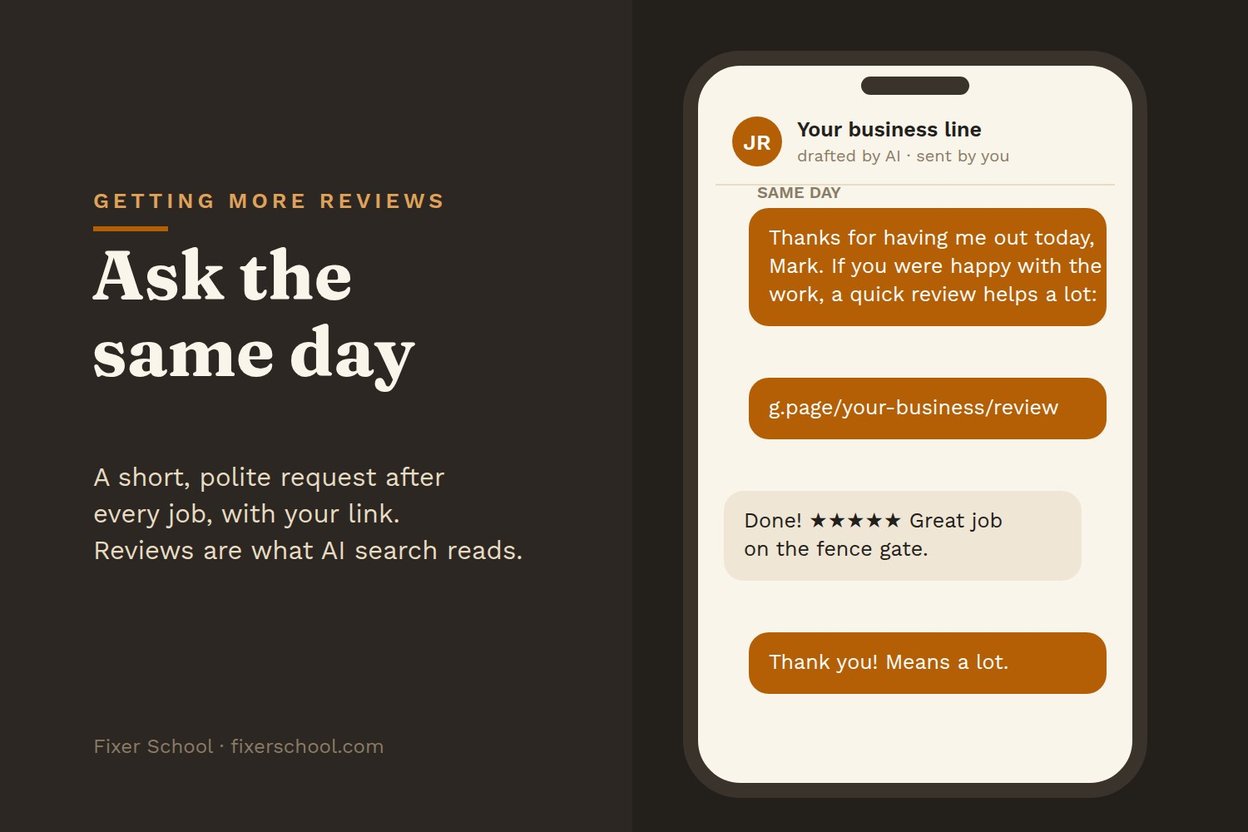
The best way to bury one fake review is a steady stream of real ones. Google allows you to ask customers for reviews. It doesn't allow incentives for posting, changing or removing a review, so no discounts for stars. It also doesn't allow asking only your happy customers. Ask everyone at the end of every job. I took every call myself for years, and the customers loved it. Asking for the review fits naturally into that last conversation.
An optional job for your AI apprentice: paste your notes into ChatGPT and ask it to put them in order for the appeal form, or to draft a two-sentence reply for you to approve. AI is a terrible master, but a great servant. You check every statement it writes against your records, and you submit the report yourself.
Sources (11)
- Google: Request removal of reviews (reporting, statuses, appeals)
- Google: Reviews Management Tool
- Google Maps user-contributed content policy
- Google: Manage reviews (share review link)
- Google: Read and reply to reviews
- Google: Review extortion guidance
- Google: Merchant extortion report form
- CBS News: Google one-star review extortion scheme
- FTC: Final rule banning fake reviews and testimonials
- AP: FTC rule bans fake reviews
- Reddit r/GoogleMyBusiness: How can I get a fake review removed?